
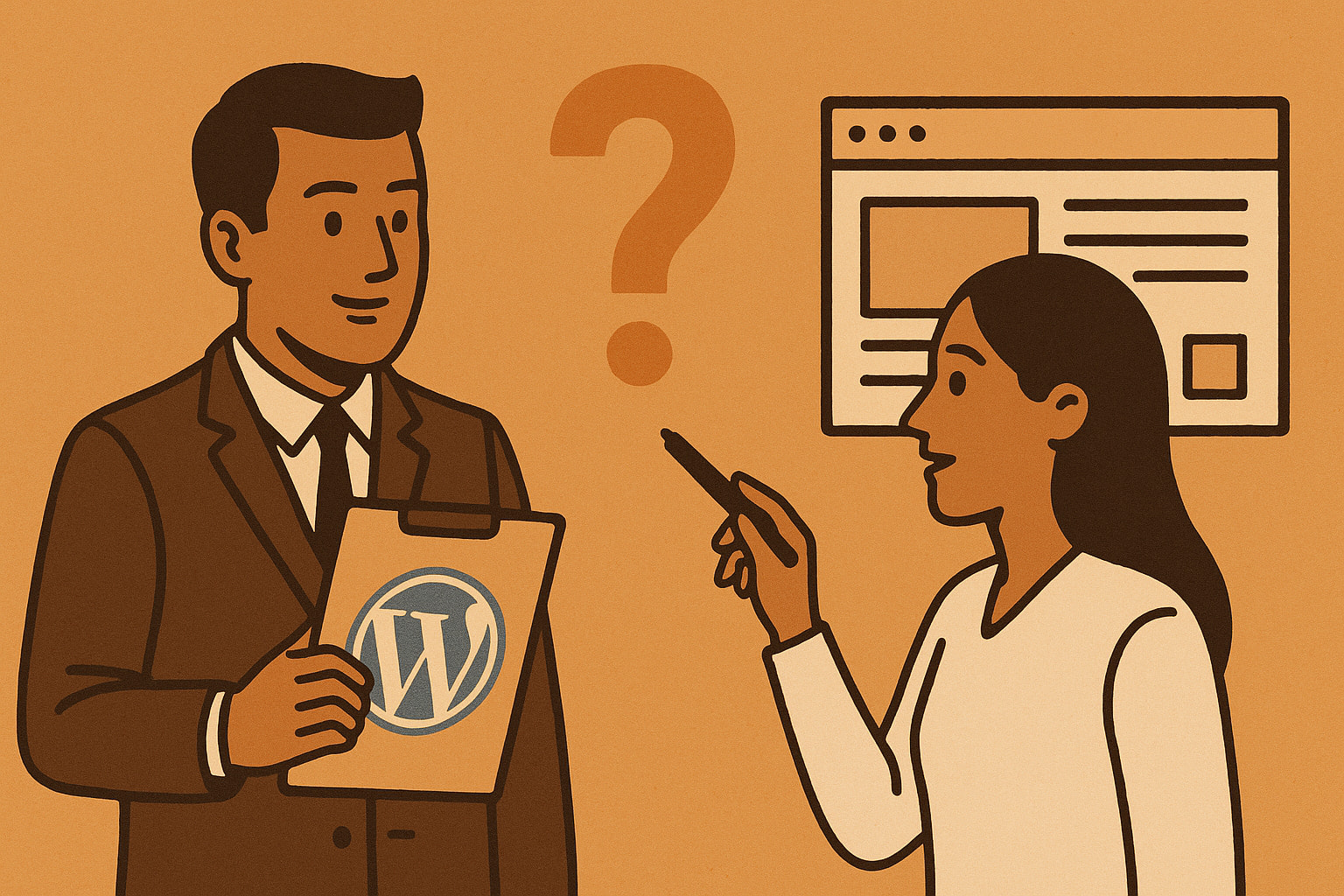
When planning a new WordPress website or redesign, many business owners instinctively start with a web designer. After all, design is what your visitors will see first, right? But hiring a designer before engaging a WordPress consultant can lead to costly missteps, rework, and a site that looks great but underperforms fundamentally for your business goals.
The reality is that beautiful design cannot compensate for poor strategy, wrong user flows, or unclear messaging. A consultant helps define strategy before the pixels get pushed – making sure your site doesn’t just look good, but works effectively for your business objectives and delivers measurable results.
Design Is Execution, Not Direction
Designers excel at layout, color schemes, typography, and overall visual impact. The best designers create stunning websites that capture attention and communicate brand identity effectively. However, even the most visually compelling design cannot compensate for fundamental strategic flaws in purpose, user flows, or messaging hierarchy.
If you jump into design before understanding what your users actually need or what your business goals require, you’ll end up creating a site based on assumptions rather than data-driven insights. This approach often results in websites that win design awards but fail to convert visitors into customers or achieve business objectives.
According to recent industry research, 75% of people believe that a website’s credibility is based on design, which explains why businesses prioritize visual appeal. However, this statistic also reveals the challenge: if visitors judge credibility primarily on design, but the design isn’t aligned with their needs and expectations, even beautiful websites will fail to build trust.
What a WordPress Consultant Does First
A WordPress consultant starts by asking the strategic questions that designers often overlook or assume have already been answered:
- What is the primary purpose of your site beyond “looking professional”?
- Who are your key user personas, and what specific actions do they need to take?
- What are your measurable KPIs – sales conversions, lead generation, content downloads, or service bookings?
- What pages and user flows will visitors need to navigate to achieve their goals and your business objectives?
- How does this website fit into your broader digital marketing strategy?
From this strategic foundation, they develop:
Information Architecture: The logical structure of how content and functionality should be organized to serve user needs effectively.
Page Hierarchy: Which pages are most important for conversions and how they should be prioritized in navigation and internal linking.
Functional Scope: What features and capabilities the site actually needs versus what might be nice to have.
Technology Recommendations: The right plugins, themes, and technical solutions to support long-term business goals.
SEO Foundation: How the site structure and content strategy will support search engine visibility from day one.
Performance Requirements: Page speed, mobile optimization, and technical specifications that will impact user experience.
Only after these strategic elements are clearly defined and documented should the design process begin. This sequence ensures that every design decision supports the underlying business strategy rather than working against it.
Case Study: The Award-Winning Site That Failed
In 2023, a growing B2B software company invested $25,000 in a website redesign with a highly-rated design agency. The resulting site was visually stunning – clean typography, engaging animations, and a modern aesthetic that impressed industry peers. It even won a regional design award three months after launch.
However, six months post-launch, the data told a different story. Website traffic had decreased by 15%, and more critically, qualified lead generation had dropped by 43%. The conversion rate from visitor to lead fell from 3.2% to 1.8%.
What went wrong? The design prioritized visual impact over user experience and business functionality:
- The primary call-to-action was buried below the fold and competing with secondary actions
- Contact forms required seven fields when industry best practices recommend three for lead generation
- The navigation structure reflected internal company organization rather than customer thinking patterns
- Page load speeds increased by 2.3 seconds due to heavy visual elements
- Mobile experience was an afterthought, despite 64.25% of global website traffic coming from mobile devices
The company brought in a WordPress consultant who conducted a comprehensive site audit and user experience analysis. The consultant restructured the homepage hierarchy, simplified contact forms, clarified messaging, and optimized the mobile user journey. Lead generation recovered to previous levels within eight weeks, and conversion rates actually improved beyond the original baseline.
This case illustrates a crucial point: 94% of all first impressions come from your website’s design, but those first impressions must be strategically designed to drive specific user actions, not just create visual appeal.
The Hidden Costs of Poor User Experience
The statistics around user experience and website performance reveal why strategic planning matters more than aesthetic appeal:
Bounce Rate Impact: Research shows that from a 1 to 3 second page load time, the probability of a bounce increases 32%. When load times extend to 6 seconds, bounce probability increases by 106%. This means that visually heavy designs without performance optimization can devastate user engagement.
Mobile Experience Consequences: 85% of adults think that a company’s website when viewed on a mobile device should be as good or better than its desktop website. More concerning, 61% of users are unlikely to return to a site on mobile if they had trouble accessing it and 40% visit a competitor’s site instead.
Conversion Rate Reality: Studies indicate that a site that focuses on superior user experience can have a visit-to-lead conversion rate that’s more than 400% higher than a poorly designed site. This massive difference in performance directly impacts revenue and business growth.
Trust and Credibility: 38% will stop engaging with a website if the layout is unattractive, but attractiveness must be balanced with functionality. Users abandon sites not just because they look bad, but because they’re difficult to use or don’t deliver expected value quickly.
Why Order Matters: Consultant First Strategy
Starting with a Consultant:
- Business strategy and goals are clearly defined before any design decisions
- Project scope aligns with budget and realistic expectations from the beginning
- SEO and user experience architecture are built into the foundation
- Development becomes more efficient because requirements are clear
- Reduces revision cycles and scope creep during the design and development phases
- Ensures compliance with accessibility standards and performance requirements
Starting with a Designer:
- Risk of designing features and pages that aren’t strategically necessary
- May overlook critical mobile user experience and technical SEO requirements
- Higher likelihood of requiring expensive rework when strategy changes during development
- Potential disconnect between visual appeal and functional effectiveness
- Greater chance of budget overruns due to unclear initial requirements
The data supports this approach: 37% of projects fail due to a lack of clear goals. In web development specifically, 80.8% of people begin a website redesign project because of low conversion rates, indicating that many sites were initially built without sufficient strategic planning.
How Consultants and Designers Work Together
The most successful WordPress projects involve both consultants and designers working in strategic sequence:
Phase 1: Strategic Foundation (Consultant Lead)
-
- Business goal analysis and KPI definition
- User research and persona development
- Information architecture and user flow mapping
- Technical requirements and performance specifications
- Content strategy and SEO planning
Phase 2: Creative Execution (Designer Lead)
-
-
- Visual design concepts based on established strategy
- User interface design that supports defined user flows
- Brand integration and aesthetic development
- Responsive design for multiple devices
- Visual hierarchy that prioritizes strategic goals
-
Phase 3: Technical Implementation (Developer/Consultant Collaboration)
-
-
- WordPress development following strategic specifications
- Performance optimization and SEO implementation
- Quality assurance and user testing
- Launch coordination and performance monitoring
-
This collaborative approach ensures that aesthetic decisions support strategic objectives rather than conflicting with them.
Real-World Pricing Comparison
Understanding the financial implications of different approaches helps illustrate why strategic planning saves money:
Typical WordPress Consultant Discovery Phase: €750-€1,500 for strategic audit, user research, and planning documentation.
Website Redesign Costs Without Strategy:
-
-
- Initial design and development: €8,000-€15,000
- Post-launch performance issues requiring fixes: €2,000-€4,000
- Conversion rate optimization to address poor performance: €3,000-€6,000
- Total Cost: €13,000-€25,000
-
Website Redesign Costs With Strategic Planning:
-
-
- Consultant discovery phase: €750-€1,500
- Design and development with clear requirements: €6,000-€12,000
- Minimal post-launch adjustments: €500-€1,000
- Total Cost: €7,250-€14,500
-
The strategic approach typically saves €5,000-€10,000 while delivering better results. More importantly, it reduces the risk of launching a website that fails to meet business objectives.
According to industry data, website redesign costs can range from $3,000 to $150,000, depending on the provider and size of the website. However, a simpler website redesign can run anywhere from $15,000 to $30,000 depending on the size of the site, whereas websites with a large page count, custom functionality, and more unique needs can cost between $40,000 and $75,000 or more.
For WordPress specifically, WordPress developer hourly rates vary based on experience, location, and specialization. In the United States and Canada, rates range from $50 to $150 per hour, while Europe ranges from $40 to $100 per hour.
Strategic WordPress Consulting: What to Expect
A comprehensive WordPress consultation should include:
Business Analysis:
-
-
- Current website performance audit
- Competitive landscape research
- User behavior analysis using analytics data
- Conversion funnel identification and optimization opportunities
-
Technical Assessment:
-
-
- Site speed and performance evaluation
- SEO audit and improvement recommendations
- Security review and enhancement suggestions
- Mobile optimization analysis
-
Strategic Planning:
-
-
- Goal setting and KPI definition
- User persona development and journey mapping
- Content strategy and information architecture
- Technology stack recommendations
-
Implementation Roadmap:
-
-
- Phased development plan with timelines
- Budget allocation across different project components
- Risk assessment and mitigation strategies
- Success metrics and monitoring plans
-
Quality consultants typically charge between $100 to $250 per hour for strategic work, with discovery phases ranging from 8-20 hours depending on project complexity.
The WordPress-Specific Advantage
WordPress powers just over 43% of all websites on the internet, making it the dominant content management system. This popularity creates unique opportunities and challenges that WordPress consultants understand:
Plugin Ecosystem Strategy: With 59,279 free WordPress plugins available, consultants help identify the right tools without creating plugin bloat that slows site performance.
Theme Selection and Customization: Understanding which of the 11,978 different themes on WordPress will best support your business goals and technical requirements.
Performance Optimization: WordPress sites can become slow without proper optimization. Consultants ensure that design decisions don’t compromise the performance standards that users expect.
Security Planning: WordPress’s popularity makes it a target for security threats. Strategic planning includes security considerations from the beginning rather than as an afterthought.
Scalability Considerations: Planning for growth ensures that your WordPress site can handle increased traffic and functionality as your business expands.
Measuring Success: Beyond Beautiful Design
The difference between strategy-first and design-first approaches becomes clear in performance metrics:
Traffic Quality: Strategic sites attract more qualified visitors because they’re optimized for relevant search terms and user intent.
Conversion Rates: Sites built with strategic planning typically achieve 2-3x higher conversion rates because user flows are optimized for business goals.
Page Performance: Strategy-first sites load faster because performance is considered during planning rather than retrofitted after design completion.
Search Engine Rankings: SEO-informed architecture from the beginning leads to better organic search performance over time.
User Engagement: Strategic content organization and user experience design result in lower bounce rates and higher page views per session.
Maintenance Efficiency: Sites built with strategic planning require less ongoing maintenance because technical decisions support long-term sustainability.
When Design-First Makes Sense
While this article advocates for consultant-first approaches, there are scenarios where starting with design might be appropriate:
Brand-New Businesses: Companies without established digital presence may need visual brand development before strategic planning can be meaningful.
Pure Branding Projects: When the primary goal is brand awareness rather than conversion optimization, visual impact may take precedence.
Portfolio or Showcase Sites: Websites primarily designed to display creative work may prioritize visual impact over conversion optimization.
Rebranding Projects: Major brand changes may require visual development to inform strategic planning.
However, even in these scenarios, basic strategic questions about goals and user needs should inform design decisions.
Looking Forward: The Integration Imperative
The future of successful WordPress development lies in seamless integration between strategic planning, user experience design, and technical implementation. As 93% of designers use AI for tasks like imagery generation, and development tools become more sophisticated, the competitive advantage increasingly comes from strategic thinking rather than technical execution alone.
Businesses that invest in strategic planning before design consistently outperform those that prioritize aesthetics over strategy. This performance gap will likely widen as digital marketing becomes more competitive and user expectations continue to rise.
Conclusion: Build Smart, Not Just Beautiful
Your WordPress website is not an art project – it’s a business tool designed to achieve specific objectives and deliver measurable results. A consultant ensures it’s strategically aligned with real-world goals, while a designer makes it visually compelling and engaging for users.
The most successful websites result from strategic thinking first, creative execution second, and technical implementation third. This sequence reduces costs, minimizes revisions, and delivers better business results.
The data is clear: with websites that take over two seconds to load potentially losing 60% of their visitors, and 75% of people believing that a website’s credibility is based on design, successful websites must balance strategic functionality with visual appeal.
Order matters. Strategy before style. Consultant before designer.
Invest in strategic planning first, and your design investment will deliver significantly better returns for your business.